Create Follow-Up Tasks
When a deal moves to “Proposal Sent,” trigger a task to follow up with the prospect. Give your team a clear next action after sending a quote.
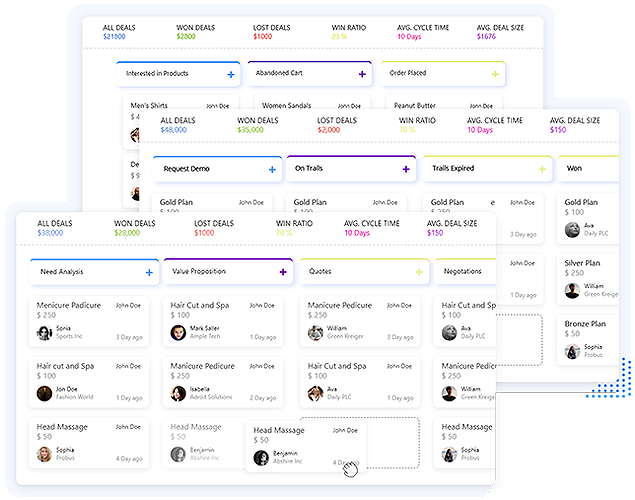
See where every deal stands and what needs to happen next. Customize stages to match your sales process, move opportunities across a visual board and automate follow-up tasks as deals progress. Built for small businesses and startups that need to stay on top of sales without managing another spreadsheet.
Create pipeline stages that reflect how customers buy from you, from the first inquiry to the final decision. Saleoid lets you customize your sales pipeline around your process, so your team knows where each deal stands.
A prospect contacts you about your product or service.
You confirm their needs and whether your offering is a suitable fit.
You send a quote or proposal for review.
You discuss pricing, scope or terms before a decision.
The prospect accepts your offer or the opportunity ends.

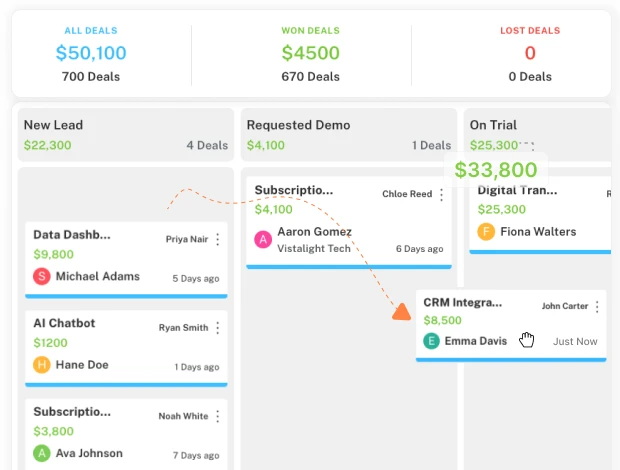
Keep active opportunities in view with Saleoid’s visual sales pipeline tracker. See which deals are progressing, which are waiting on a decision and where your team needs to follow up.
View opportunities by stage so you can review your pipeline without piecing together separate spreadsheets.
Open a deal to review its information and understand the opportunity before your next conversation.
Drag and drop deals into the next stage when a milestone is reached, such as completing a discovery call or receiving approval on a proposal.
Make pipeline tracking part of your daily routine.
A clearer pipeline starts here
Bring stages, owners and next actions together so every opportunity has a clear place and a clear next step.
Reduce repetitive work with Saleoid’s sales pipeline automation. Set rules that trigger follow-up actions when a deal enters a specific stage, helping your team keep the next step moving.
When a deal moves to “Proposal Sent,” trigger a task to follow up with the prospect. Give your team a clear next action after sending a quote.
Use a stage change to trigger a relevant email, such as sharing next steps after a prospect becomes qualified. Match the message to the conversation they have already had with your team.
Trigger an internal notification when a deal reaches a stage that needs attention, such as negotiation. Keep the right people informed without sending each update manually.
New customers and returning clients may need different sales steps. With Saleoid, organize these opportunities in separate pipelines, each with stages that match the process.
Create a separate pipeline when the sales steps differ.
Keep every opportunity moving
Create a repeatable way to qualify leads, send proposals and follow up without relying on disconnected notes or spreadsheets.
Understand the potential value of your open opportunities with Saleoid’s sales pipeline CRM. Review deal values and revenue estimates to see how your current pipeline supports your sales goals.
Review the value attached to active deals. Use this information to understand how much potential business your team is working on.
An open proposal is still an opportunity. Review forecasts alongside deal progress so you can distinguish what might close from what customers have already agreed to buy.
Update deal values as scope or pricing changes, and close opportunities that have ended. Current information gives your team a more useful starting point for revenue planning.
A revenue forecast is an estimate, not a guarantee. Account for deals that may be delayed, change in value or fall through.
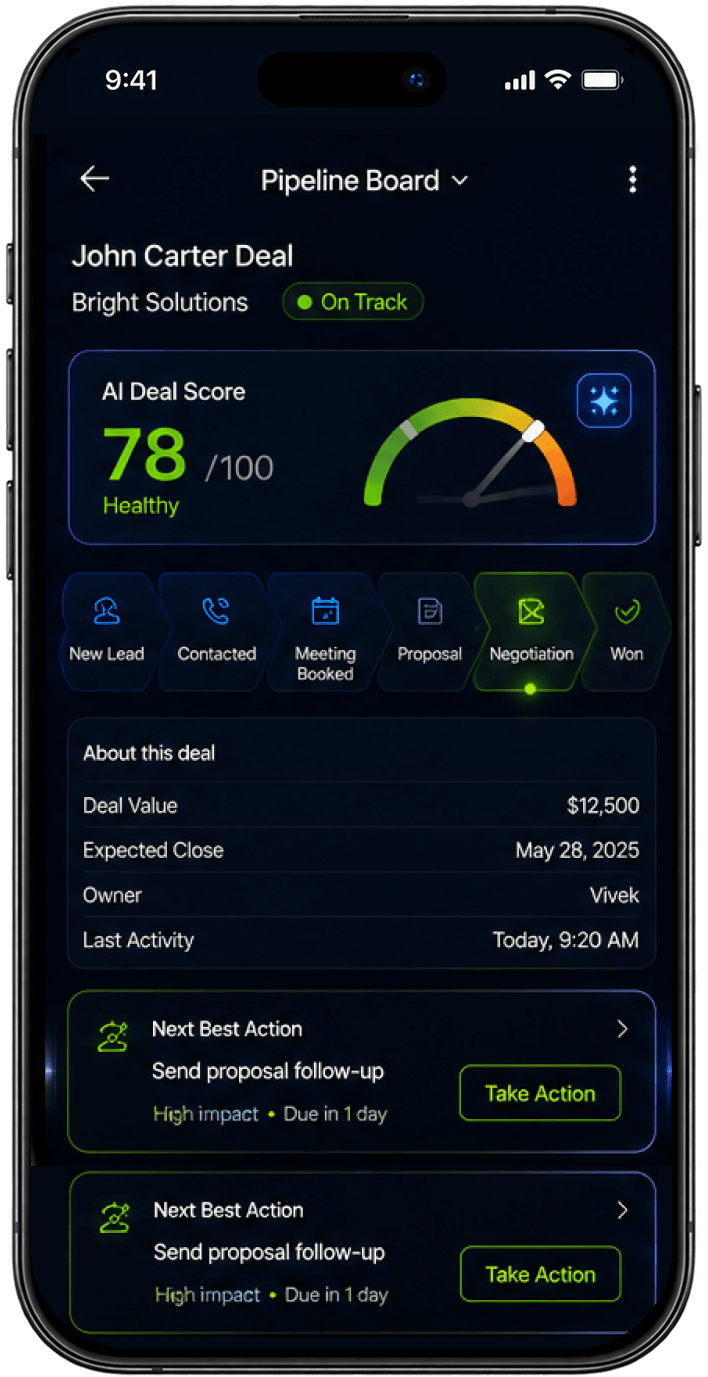
Review deals at your desk and keep them updated when you’re out meeting customers. With web and mobile sync, your team can work from the same deal information as conversations progress.
Check the opportunity’s current stage and relevant details from your phone before speaking with a prospect.
Record progress while the conversation is fresh. Move a deal to its next stage when the customer reaches a new milestone.
Pick up on the web with the updates made on mobile, so you can continue managing the opportunity without entering the same information twice.
Sales pipeline CRM software tracks sales opportunities through defined stages, from the first inquiry to a won or lost deal. Each opportunity moves forward as the customer reaches a milestone, such as completing a discovery call or reviewing a proposal. Saleoid combines visual deal tracking with sales CRM software to help small teams manage opportunities alongside customer information.
A sales pipeline tracks the actions and stages involved in closing individual deals. A sales funnel shows how prospects progress toward becoming customers. For example, “Proposal Sent” is a pipeline stage, while “Consideration” describes a buying-journey stage. Use pipeline tracking to manage daily sales work and funnel analysis to understand where potential customers drop out.
Yes, Saleoid supports custom sales pipelines, with availability depending on your plan. You can use stages that reflect your process, such as “New Inquiry,” “Discovery Call,” “Proposal Sent” and “Negotiation.” Give each stage a clear entry requirement so everyone updates deals consistently. Check custom-pipeline availability in the CRM pricing plans before selecting your subscription.
Yes, Saleoid supports separate sales pipelines for different sales processes, such as new customers, renewals and partnerships. Each process can follow relevant stages instead of forcing every opportunity through the same sequence. Separate pipelines are useful when the steps differ; one shared pipeline may be enough for services with the same buying process. Confirm pipeline limits for your selected plan.
Sales pipeline automation triggers predefined actions when a deal reaches a particular stage. In Saleoid, published examples include creating tasks, sending emails and triggering reminders. For instance, moving a deal to “Proposal Sent” can create a follow-up task for the salesperson. Available actions depend on your setup. Explore workflow automation software to understand how rules connect sales stages with next steps.
Saleoid describes sales forecasting based on deal values and assigned win probabilities. These inputs help estimate potential revenue from open opportunities. Forecasts depend on current deal information and realistic assumptions; they do not guarantee that a customer will buy. Keep values and deal status updated, and review the available CRM reports and analytics to understand the reporting options.
Yes. Saleoid lists support for importing deals from Excel and CSV files. Deal imports are included with the Sales Pipeline app on Custom and are listed as included in Growth and Premium. Before uploading, remove duplicate entries, standardize stage names and check the required template. Test a small batch first to confirm that your spreadsheet fields map correctly.
The Sales Pipeline app is advertised at $1/month extra on the Custom plan, which requires a separate base CRM subscription. The base CRM starts at $5/month with two-year billing. Sales Pipeline is included in Growth and Premium. Compare sales pipeline CRM pricing and review the add-on billing term, selected extras and full subscription total before checkout.
Keep the next step in view
See where every deal stands and what needs to happen next. Customize stages to match your process and keep follow-ups moving.

Curious to know how Saleoid can transform your business and its operations? Request a free demo today and witness the revolution firsthand!